¶ Inventory
The inventory commands are used to view what kind of items you have. This includes things such as character fragments, equipment, crates etc.
¶ How to view your inventory
- If you want to view your inventory, use:
im.inventoryorim.inv
This command will show you a general overview of what items you currently own.
¶ How to look at a specific part of your inventory
- If you only want to look at one part of your inventory, use:
im.invetory list [object]orim.inv l [object]
Example:im.inv l fragmentsorim.inventory list fragments
Currently there are 5 objects to sort by: equipments, fragments, crates, items and event.
¶ How to view something in your inventory
- If you want to view something in your inventory, use:
im.inventory view -orim.inv v [inventory id]
Example:im.inv v 8
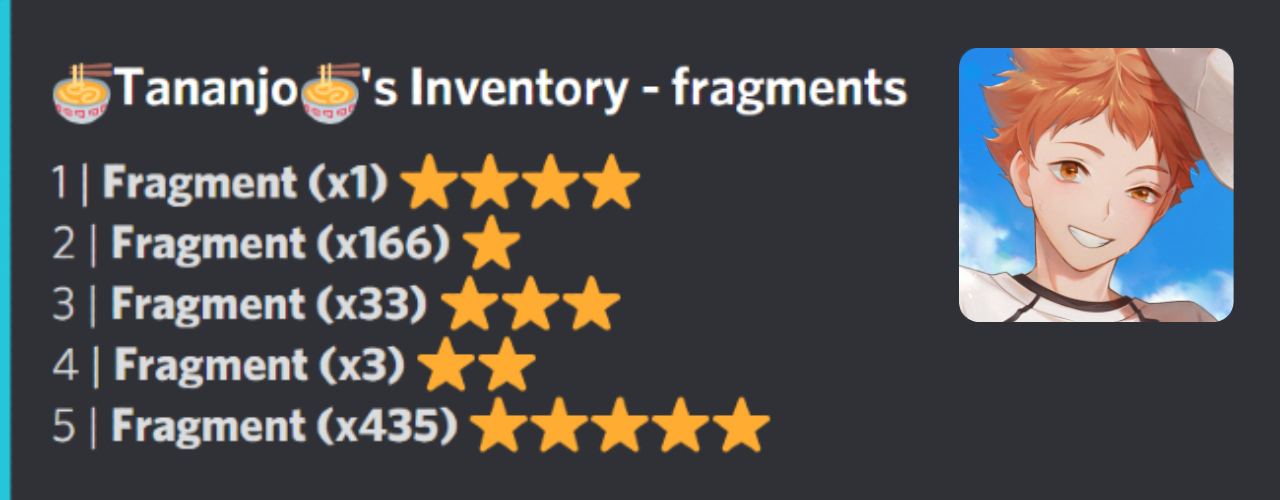
The number in front of the Fragments is their inventory id.
¶ How to use fragments
- To use fragments, you must first obtain 5 fragments of the same rarity.
- Once you have done that use the command
m.fuse [rarity]to get a character of that rarity.
Example:im.fuse 5-> For a 5* character
¶ How to open crates
- If you want to open crates you must first do
im.inventory list cratesto get the item id of the crate. - Once you have found the id simply do
im.inv open [inventory id]im.inventory open [inventory id]
The items from the crates can be equipped to the character that you are doing campaign with.
¶ How to put on equipment
- To use the equipments you have obtained from crates, you must first determine the
[inventory id]of the equipment. - To do so use the command
im.inv l equipments - Once you know the
[inventory id]use the commandim.inv equip [inventory id] [local id], to sucsessfully equip your character. - If you want to unequip your character use the command
im.inv unequip [inventory id]
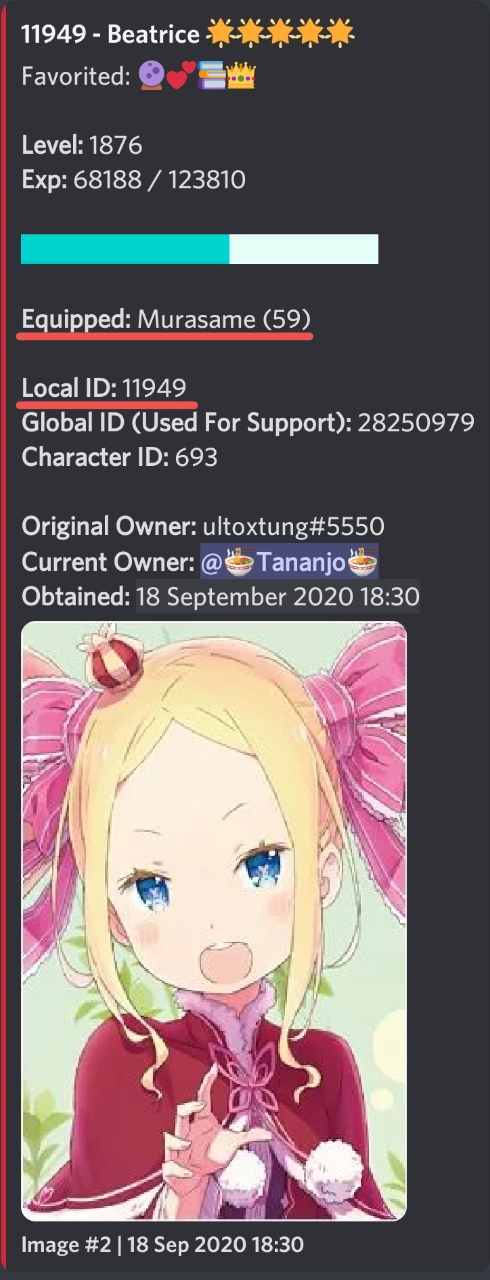
Some equipments have requirements so make sure your character fulfills them.
¶ What to do with giveaway tickets
- Some giveaways on the support server will need a givaway ticket to enter.
Daily Quest #2will give 1 giveaway ticket.
It is random which
Daily Questyou will get each day.